How to Convert Crypto to Crypto on Bitcoin Store (Guide)
Crypto-to-crypto conversion allows you to swap one coin for another within your account using a live quote. It’s ideal for rebalancing, transitioning into stablecoins during periods of volatility, and consolidating small balances without requiring on-chain transfers.
Table of contents:
Crypto conversion is the fastest way to rebalance your account. You can move into stablecoins during market changes and it also helps tidy up small balances without leaving your account.
You get a live quote, you see exactly what you’ll receive, and the swap settles instantly to your Bitcoin Store Wallet account.
Let's see how that works step-by-step.
What Converting Crypto Means (And Why Use It)
Convert is a one-step swap from Asset A → Asset B inside your Bitcoin Store account. You request a live quote, confirm within a short countdown, and your new asset appears immediately.
When is it useful to convert crypto to crypto?
Rebalancing
Rebalancing means restoring your portfolio to your desired asset allocation ratio.
Instead of manually selling one cryptocurrency and then buying another, you use the Convert function to quickly:
- Move profits from "alts" (altcoins) into stablecoins. This allows you to "lock in" your profit by converting it into a currency that does not fluctuate (e.g., USDT, USDC).
- Reduce risk by shifting a portion of your altcoins into safer, larger currencies like Bitcoin (BTC) or Ethereum (ETH).
Rotations
Rotation refers to quickly changing your portfolio holdings in response to market movement.
When you see one cryptocurrency moving up and another moving down, you don't want to waste time placing two separate orders (one for selling and one for buying).
The Convert function allows you to switch your holdings—for example, moving all your Cardano (ADA) into Solana (SOL)—in a single step, rapidly changing your exposure without missing a favorable market moment.
Consolidation
Consolidation means gathering and merging all very small leftover amounts (often called "dust") into one larger, usable currency.
After much trading, you often end up with tiny quantities of various cryptocurrencies (e.g., 0.00001 DOT, 0.002 LINK, etc.). These small amounts are essentially useless.
The Swap function enables you to automatically convert these small, unused "dust" balances into a single main currency you actually want to hold (e.g., convert everything into BTC or EUR).
This process cleans up your portfolio and makes those previously negligible balances useful.
Crypto conversion: who is it for?
Basically, anyone who wants a fast, simple swap with a firm quote and instant settlement.
- Beginners who prefer a one-step flow (no order books or charts).
- Long-term holders who need quick rebalancing (e.g., ALT → BTC/ETH or profits → stablecoins).
- Volatility managers who want to move into/out of stablecoins in seconds.
- Altcoin rotators switching exposure between projects without selling to EUR first.
- Clients with low balances (“dust”) who want to consolidate into a single asset.
When crypto conversion might not be the best fit?
Convert is built for speed and simplicity - not pro trading. If you need order-book tools (like setting exact target prices, advanced order types, bots/API, margin or derivatives) or you’re trying to squeeze every last 0.1% on very large moves by micromanaging execution, you’ll likely be better served on a dedicated pro exchange.
For everyday rebalancing and quick, clear swaps, crypto to crypto conversion on Bitcoin Store is ideal.
How Conversion Works On Bitcoin Store
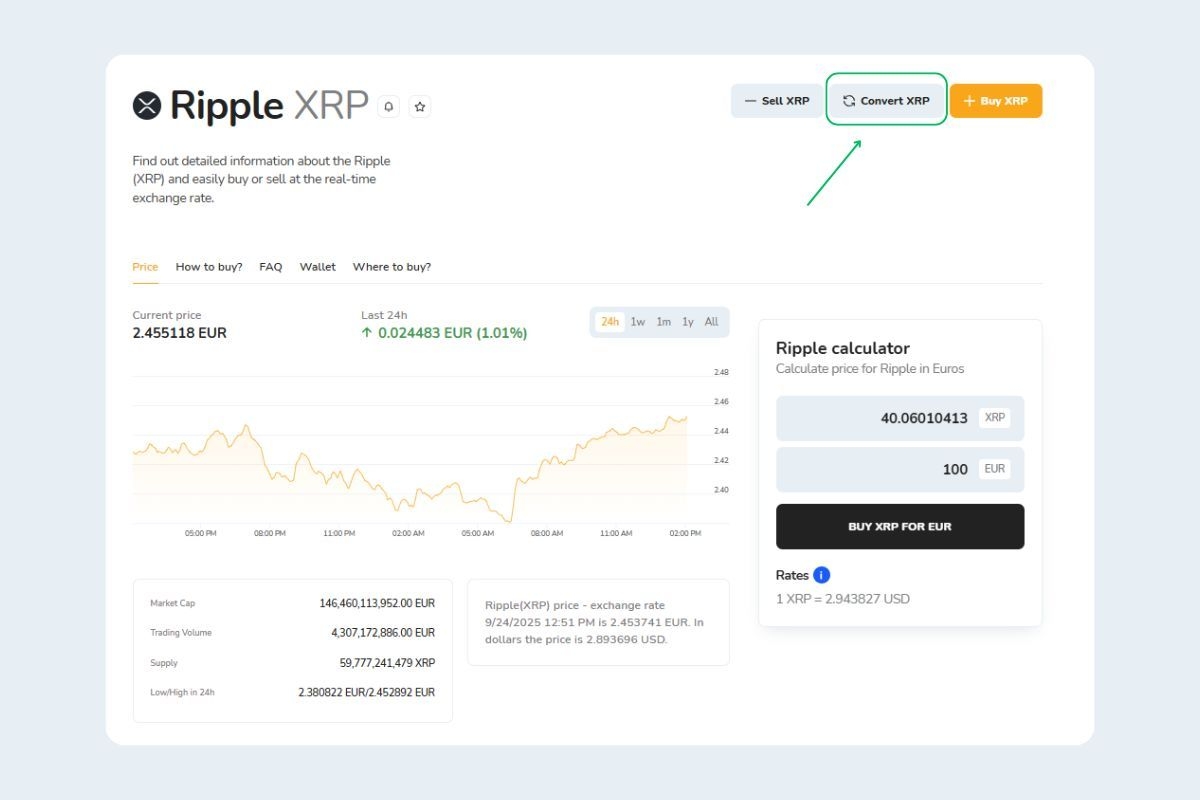
You’ll find the option Convert on both the web and mobile app. After you sign in:
- Go to your portfolio and choose the cryptocurrency you want to convert.
- Choose the option Convert and choose your From and To assets (e.g., BTC → ETH).
- Enter the amount you want to swap.
- Review the live quote and click Proceed.
- The conversion executes instantly and your destination asset appears in your account balance.
Everything happens in your Bitcoin Store Wallet account. You don’t need to copy addresses or wait for blockchain confirmations.
Bitcoin Store supports conversion across 150+ cryptocurrencies. The Convert screen will inform you if a pair is supported and will display any relevant limits before you confirm.

Tips To Get A Better All-In Rate
Convert in calmer periods. Spreads are usually tighter when volatility is low. If the quote looks wide, wait a few minutes and refresh.
Split very large amounts. Break substantial swaps into smaller chunks (e.g., 3–5 tranches) to reduce price impact. Review each live quote and only confirm when the You’ll receive amount looks favorable.
Use a stablecoin hop. If a direct pair is not available, try Asset A → EURI/USDC → Asset B. Compare the two quotes. Choose the one with the higher net receive.
Mind pair constraints. Some assets only allow whole numbers - round your amount or route via EUR/stablecoin to avoid failures.
Crypto To Crypto - Frequently Asked Questions
Do I need KYC to swap crypto?
Yes. To comply with AML/CTF rules, crypto-to-crypto conversion is available to verified accounts only. Complete basic verification (e.g., ID check; additional details may be required by your region) to be able to convert crypto to crypto.
Convert vs trade: what’s the difference?
Convert is a one-step swap with a live quote that shows exactly what you’ll receive; settlement is instant to your account. Trade uses the order book with maker/taker fees and potential execution risk.
Is there a fee and how is it shown?
Yes. A fee applies to both cryptocurrencies, but it’s calculated through the conversion rate in your live quote. You won’t see a separate fee line; the rate and “You’ll receive” amount already include all fees for the From and To assets.